How to Start a Podcast on Spotify in 2026: Setup, Verification, and Monetization
Independent audio publishing has shifted away from simple MP3 directory submissions. Spotify now operates as a hybrid broadcast channel and recommendation engine, demanding parity between video delivery, algorithmic targeting, and dynamic commercial insertion. Creators entering the space face stricter metadata protocols and revised identity checks designed to clean up platform directories. According to data compiled in the recent DemandSage Report, streamlined creator onboarding has become a primary driver of new show launches, alongside upgraded private-feed functionality documented in updates from Castos and Spotify’s own engineering disclosures.
Launching a competitive show requires understanding where Spotify acts as an open index and where it behaves as a walled garden. Success relies on configuring syndication routes properly, satisfying catalog verification metrics, and structuring delivery formats to capture immediate commercial returns.
📌 Key Takeaways:
- System Architecture: Creators can host directly through Spotify's internal portal or sync an external podcast hosting platform via standard RSS feed distribution.
- Production Pipeline: Native Riverside integration now powers browser-based recording, direct video ingest, and automated audio episode scheduling.
- Commercial Requirements: Platform verification badges and automated ad insertion access depend on distinct thresholds tied to listener retention and episode cadence.
- Audience Mechanics: Interactive comments and polls materially inform Spotify's home-feed algorithmic recommendations.
Setting Up Your Portal: Native Hosting Versus External Feeds
Every show begins with a structural choice: host files directly inside Spotify for Podcasters or route an external feed from dedicated services like Castos, Libsyn, or Transistor. Native hosting costs nothing and unlocks immediate access to experimental creator features. However, relying solely on native tools ties your assets to a single company's ecosystem. External hosting preserves complete data autonomy and simplifies simultaneous publishing across Apple Podcasts, Amazon Music, and Overcast.
If you host externally, your first step is generating a clean RSS link containing properly structured tags: episode title, show description, artwork specifications, and explicit content labels. You then log into the Spotify creator dashboard, paste your feed address, and trigger the ownership verification protocol. Spotify sends an eight-digit alphanumeric token to the public email listed inside your XML file. Submitting that code links your production account permanently to the platform catalog.
Shows hosted natively bypass XML entry entirely. You create an account, upload raw WAV or MP4 files directly, and let the backend construct your syndication endpoints automatically. In May 2026, Spotify expanded options for users to host and sync personal feeds directly to mobile apps, making testing unlisted audio easier than in previous cycles.
The Recording Pipeline: Riverside Integration and Video Podcasting
Video podcasting on Spotify is no longer an optional add-on for elite networks; it is a primary discovery engine on mobile devices. Spotify's built-in partnership with Riverside allows remote interviews to be captured in uncompressed 4K video and 48kHz audio directly through a browser window. The system records local tracks on each participant's machine, preventing network drops from corrupting the final edit.
Once tracking concludes, Riverside syncs the combined assets directly into your Spotify episode draft pipeline. If you edit offline in DaVinci Resolve or Premiere Pro, you must adhere to strict delivery profiles: 1080p resolution at 30 frames per second, encoded in H.264 or MP4 with AAC-LC audio. Spotify processes video files into adaptive bitrates, switching between full video and audio-only streams depending on whether a listener leaves the app in the background or locks their phone screen.
After uploading assets, configure your release calendar using built-in audio episode scheduling. Setting fixed delivery hours trains algorithmic scrapers to crawl your show consistently, guaranteeing immediate placement in your subscribers' daily release queues.
Tracking Structural Shifts: Platform Rules from 2024 to 2026
The operational framework governing creator ingestion, media types, and verification requirements has tightened considerably. The table below illustrates how the publishing infrastructure has evolved over the past two years.
| Operational Feature | 2024 Publishing Baseline | 2026 Production Standard |
|---|---|---|
| Video Intake | Restricted mostly to native hosting setups | Universal support via external feeds and browser studios |
| Verification Rules | Basic email ping with unverified profile flags | Strict identity review and sustained audience minimums |
| Monetization Access | Manual application; inconsistent programmatic networks | Automated dynamic insertion based on algorithmic pacing |
| Community Tools | Binary episode polling with text responses | Threaded comments, pinned replies, and interactive chapters |
Securing Your Identity: The Podcast Verification Process
Impersonation and scrapers spinning AI narration led Spotify to introduce a multi-tiered podcast verification process. An unverified show can still publish, but it remains invisible to high-intent editorial playlists and top search carousels. Achieving verified status places a distinct checkmark next to your show title, signaling catalog legitimacy to advertisers and listeners alike.
Verification requires meeting three base requirements: three published episodes, a claimed creator profile tied to verified business or individual credentials, and a verified external website backlink pointing to the show's canonical URI. The system crawls your feed history to confirm original audio streams. If your account passes automated checks, editorial moderation reviews your catalog descriptions to confirm they meet trademark guidelines and age-rating criteria.
This verification badge carries practical value beyond visual prestige. Verified shows enjoy faster processing times during file intake, priority placement in algorithmic search suggestions, and immediate access to the Spotify Partner Program once audience thresholds are reached.
Monetization Models: Automated Ads and Subscriptions
Building an audience yields little value without clear monetization channels. Modern podcast monetization models on Spotify run along two parallel tracks: programmatic spot delivery and direct subscriber payments. The foundation of programmatic revenue is automated ad insertion (DAI). Rather than baking host-read ads permanently into your recordings, DAI lets Spotify dynamically insert audio spots into pre-set cue points during playback.
Creators place time markers directly in their episode timeline. The platform then targets individual listeners using geographic location, device type, and topical interests. Ad revenue splits generally yield between $18 and $32 per thousand impressions (CPM), fluctuating based on your category and retention rates. Niche topics like enterprise software and personal finance routinely attract premium advertiser rates.
For audiences looking to skip ads, subscriber-only episodes provide steady recurring revenue. Creators can lock specific bonus recordings, early access releases, or back-catalog archives behind an in-app paywall. Spotify processes these transactions directly within the client app on mobile and desktop, charging a standard 5% platform fee while sending the balance directly to the creator's Stripe account.
Interpreting Metrics and Driving Interaction
The redesigned Spotify analytics dashboard provides granular data that reaches far beyond simple download counts. Traditional podcast metrics rely on server download requests, an unreliable measure that fails to reveal whether someone actually listened to a file. Spotify tracks actual playback behavior inside its app, showing exact completion rates and audience drops.
Pay close attention to listener demographics and audience drop-off curves. If an episode loses 40% of its audience at the four-minute mark, your introduction is taking too long to deliver on its premise. Demographic readouts break down user age brackets, listening locations down to the city level, and consumption behaviors across mobile, desktop, and smart speakers.
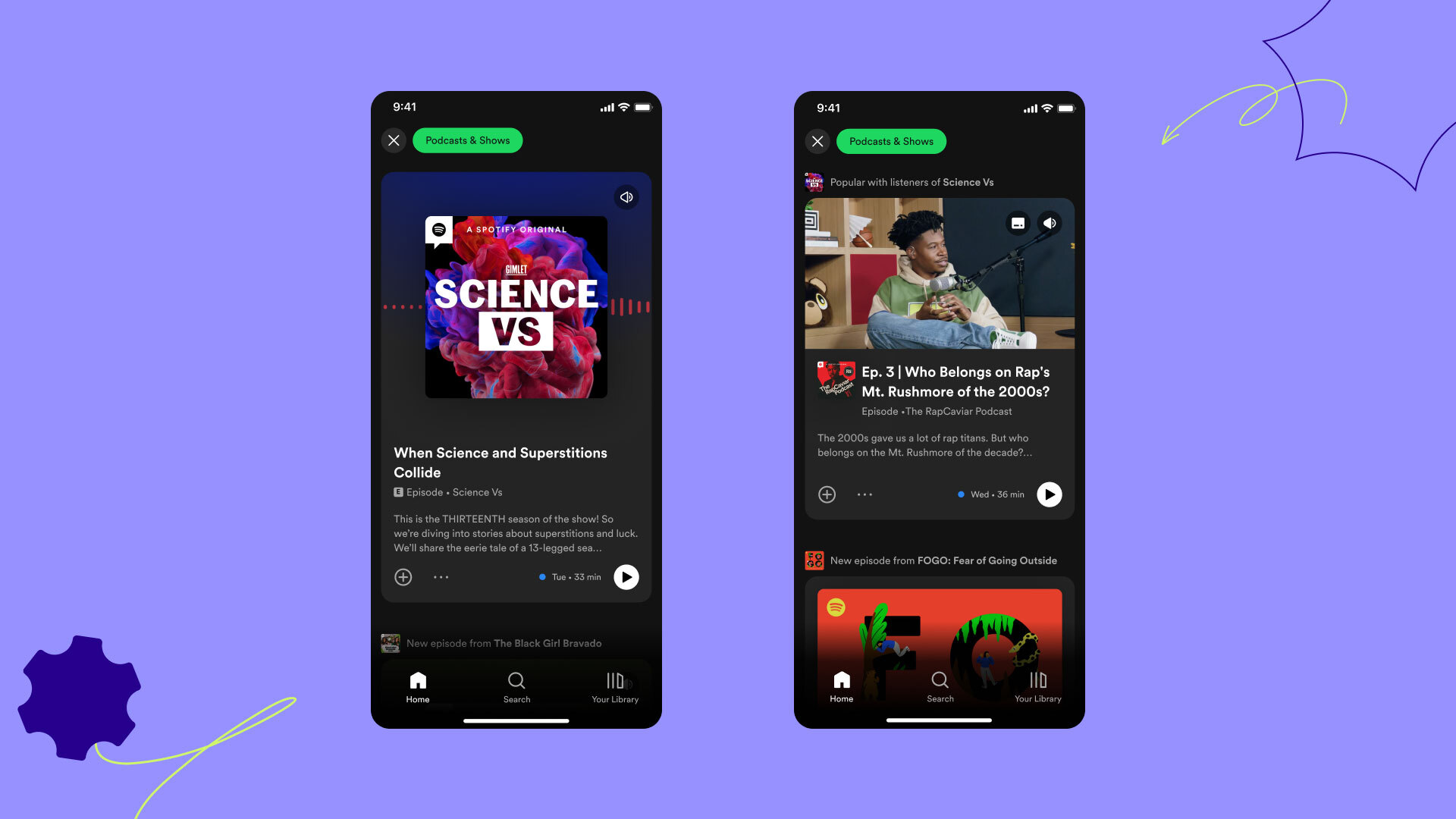
Algorithm performance ties directly into podcast audience engagement tools. Spotify monitors the percentage of listeners who vote in episode polls, leave text comments, or click interactive chapter markers. Shows that keep audience interaction high earn algorithmic placement across the "More Like This" shelves and personalized release carousels, driving new organic discoverability without requiring external ad spend.
Frequently Asked Questions (FAQ)
Q1: Do I have to pay to host a podcast on Spotify?
Direct hosting through Spotify for Podcasters is completely free, with no storage caps or bandwidth charges. However, if you choose an external podcast hosting platform for broader operational control, monthly fees typically range from $12 to $40.
Q2: Can I publish video podcasts if I host my RSS feed externally?
Yes. As long as your external host supports video delivery protocols and you sync your account through the Spotify creator portal, you can upload video assets directly to Spotify while leaving your main RSS feed on your primary host.
Q3: What are the listener minimums to activate automated ad insertion?
Spotify typically requires an active catalog to maintain at least 1,000 unique listeners over a rolling 60-day period before unlocking automated ad network insertion, though subscriber-only paywalls can be activated on day one.
Strategic Takeaways for 2026
Launching a show successfully on Spotify requires treating the service as a video platform, discovery index, and community hub rather than a passive RSS reader. The creators building sustainable, revenue-generating catalogs are those who take the verification process seriously, publish high-fidelity video feeds, and review retention curves after every drop. Configure your infrastructure with care, engage directly with your listeners through platform polls and comments, and let clear audience data guide your ongoing production decisions.
