Inside TikTok’s New AI Customer Support: Screenshots and Live Walkthrough

Every day, tens of thousands of creators and merchants find their livelihoods hanging in the balance after an algorithmic strike or a sudden payout freeze. Reaching a human representative to fix the glitch has long felt like shouting into an empty canyon. As digital platforms overhaul how they handle customer queries, the reliance on automated triage has reached a new peak. While an analysis in a Business Insider Report detailed how retail giants like Amazon continue balancing self-service automation with direct phone and chat lines, ByteDance has taken an aggressively algorithmic route, pushing almost all user inquiries through its proprietary chat ecosystem.
The result is a complex, multi-tiered maze. Getting answers on an unresolved moderation strike, a lost advertising balance, or a hijacked profile requires decoding how the underlying triage bot routes incoming complaints. Here is a direct breakdown of how TikTok’s customer service chat operates behind the screen, what the automated flows actually look like, and how users can navigate the system to secure actual human assistance.
📌 Key Takeaways:
- The Automated Bottleneck: The official TikTok AI support bot handles roughly 85% of incoming inquiries without human intervention, relying on intent-matching algorithms that often loop repeatedly unless specific trigger keywords are used.
- The Live Support Divide: Dedicated TikTok live chat support is largely restricted to active TikTok Shop sellers and managed creators in the top tier of Creator Rewards, leaving standard users to asynchronous forms.
- Escalation Realities: The typical TikTok support ticket response time currently spans 48 to 120 hours, though verified account recovery requests often stretch beyond 10 business days.
The Automated Gateway Behind the In-App Interface
Tap through to the support console on mobile, and the interface presents a deceptively simple chat window. Under the hood, this is not an open line to an agent in Los Angeles or Dublin. It is an automated intent-parser trained to divert standard inquiries away from costly live staff.
When you trigger the menu via the profile settings, select "Report a Problem," and open a support dialogue, the system matches your prompt against a pre-indexed taxonomy of policy briefs. If you enter general phrases like "my video was taken down" or "I cannot log in," the system serves an automated widget. This interface displays static links to Community Guidelines, accompanied by an interactive prompt asking: "Did this solve your problem?"
Selecting "Yes" instantly closes the log. Selecting "No" does not summon an agent; instead, it offers secondary algorithmic branching. The system pushes users toward diagnostic sub-categories: sound copyright, community strikes, or age verification. For millions of casual app users, this architecture creates a closed loop where automated scripts bounce tickets between pre-written answers.
Inside the AI Business Chat: Step-by-Step Logic
For verified merchants and business accounts running campaigns, the automated assistant operates with far greater nuance. The business chat system captures inbound customer leads and merchant operational questions via distinct conversational pipelines.
On merchant consoles, the workflow begins with an interactive greeting panel containing clickable chips: "Order Fulfillment," "Payouts & Tax," "Product Listing Rejection," and "Promoted Post Issues."
Step one requires the merchant to select an explicit category chip. The bot pulls live database data from the merchant dashboard, matching the request to open tracking numbers or flagged product IDs. If a seller selects "Product Listing Rejection," the bot does not just quote rules; it generates an inline card detailing the exact reason code, such as "Restricted Ingredients" or "Trademark Infringement", alongside the specific SKU number.
Step two introduces conditional routing. If the seller challenges the rejection, the bot presents a secure upload form directly within the chat timeline. The merchant submits proof of brand authorization or manufacturing certifications as PDF or JPEG files. The bot parses these files via optical character recognition (OCR) before forwarding the file packet to an operational queue. This structure cuts administrative overhead, but if the documentation deviates from strict formatting parameters, the automated system rejects the submission in seconds, forcing the user to restart the process.
Escalation Paths and Real Support Ticket Response Times
The speed and quality of support on TikTok depend directly on your account tier and the specific channel used to initiate contact. General users face lengthy asynchronous queues, while business and e-commerce partners access faster escalation routes.
| Support Channel | User Eligibility | Average Response Time | Resolution Channel |
|---|---|---|---|
| TikTok Shop Customer Service Chat | Active Sellers & Buyers | 3, 15 minutes | Live Synchronous Chat |
| Creator Support Live Chat | Managed Creators (Agency / High Follower) | 1, 4 hours | Dedicated Agent Messaging |
| In-App "Report a Problem" Form | All Registered Users | 48, 120 hours | Asynchronous In-App Ticket |
| Web Help Center Ticket | Public / Locked-Out Users | 5, 10 business days | Email Communication |
| Executive & Legal Web Forms | DMCA, Privacy & Regulatory Filers | 24, 72 hours | Direct Compliance Email |
The operational gap between ordinary creators and commercial sellers is substantial. TikTok Shop integrates direct live agents to safeguard gross merchandise volume, answering inquiries within minutes. In contrast, standard user tickets entered via the general help desk pass through tiered queues that prioritize revenue-generating segments.
Account Recovery and Banned Profile Appeals
The toughest customer service hurdle involves banned accounts and credential theft. When a profile is compromised or suspended, the user loses in-app access entirely, cutting off the standard support pipeline.
This leaves locked-out users reliant on the external web feedback form. The recovery protocol requires providing the exact username, registration date, original signup email or phone number, and proof of identity. The intake process runs through an automated parser that looks for strict consistency in your account history. A single typo in your previous phone number or linked email address causes the bot to reject the inquiry with an unhelpful boilerplate notification: "We could not verify your ownership of this account."
For banned profiles, the appeal window remains narrow. You have 30 days from the initial suspension to file an official appeal through the login screen interface. Submitting multiple duplicate tickets within a 48-hour window often triggers spam defenses, merging your tickets or pushing your case to the back of the moderation queue.
The Myth of the Direct Phone Number and How to Reach Real Staff
Searching online for assistance often leads to third-party directories advertising a direct customer service phone number. These listings are uniformly inaccurate. TikTok does not run an inbound voice support center for the public. Numbers claiming to connect to official representatives are almost always third-party lead generators or phishing schemes aimed at harvesting account credentials.
Bypassing the automated system requires strategic use of the available text channels:
First, frame your inquiry using transactional and policy terminology. The automated triage bot flags terms like "unauthorized transaction," "billing error," "compliance verification," and "legal disclosure" for priority handling. Vague emotional complaints languish in low-priority queues, but billing-related terms automatically trigger review by specialized desks.
Second, sellers should bypass standard mobile support entirely and use the desktop TikTok Shop Seller Center. The desktop dashboard houses a direct "Live Support" headset icon. During standard business hours (8:00 AM to 8:00 PM EST), typing "agent" into this interface connects you to an operational specialist after two automated prompts.
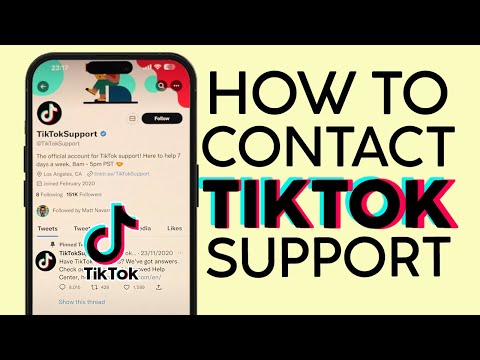
Third, creators facing unresolved technical errors can use public corporate escalation channels. Verified outreach via official support channels on X (formerly Twitter) under @TikTokSupport frequently yields tracked escalation tickets, especially when posts include a public ticket ID generated by an earlier in-app submission.
Frequently Asked Questions (FAQ)
Q1: Does TikTok have a direct customer service phone number?
No. The company does not maintain an inbound voice helpline for general users, creators, or merchants. Any phone number claiming to provide live technical support for the platform is unauthorized and should be treated with extreme caution.
Q2: How can I access TikTok live chat support as a regular user?
Standard consumer accounts do not have access to an open live chat queue. Live chat is restricted to TikTok Shop merchants, active advertisers spending on the TikTok Ads platform, and select creators managed through talent agencies or partner programs.
Q3: What should I do if the AI chat bot rejects my appeal for a banned account?
If the automated system rejects your initial in-app appeal, visit the official web feedback form on your browser. Select "Account Ban/Suspension" as the topic, attach government-issued photo identification, provide transaction receipts from historical coin or gift purchases, and clearly explain why the suspension violates Community Guidelines.
Q4: Why does my support ticket show "Resolved" when my problem wasn't fixed?
The triage bot automatically marks tickets as resolved if an automated diagnostic article is sent and the user fails to tap "No, I need more help" within 24 hours. When filing a report, monitor the notification center closely and reject automated solutions immediately to keep the inquiry open.
The Operating Reality of Platform Support
The reliance on automated triage across major online services reflects a calculated operational choice: algorithmic sorting prioritizes enterprise revenues and commercial transactions while keeping operational overhead low. For everyday users, finding human assistance requires patience and persistent escalation. Navigating these systems means moving past generic troubleshooting steps, using precise operational language, and working through the specific technical channels the platform is forced to monitor.
