Marvel Rivals Discord Quest Tracking Outage: What We Know and When It Will Be Fixed
Thousands of competitive shooter fans logging into NetEase’s superhero brawler this week ran headfirst into an unexpected technical wall. What was supposed to be a seamless promotional campaign, streaming gameplay to friends to secure promotional currency, has devolved into widespread player frustration. As detailed in an Esports.gg Report on the Season 6 promotion, the campaign promised players a fast route to rare cosmetic drops. Instead, community channels have filled with reports of zero-progress timers, broken hooks, and missing claim codes.
The problem sits at the intersection of Discord's desktop capture protocol and the game client's updated anti-cheat pipeline. Players spend thirty minutes broadcasting their matches in community servers, only to find the progress bar frozen at zero seconds. With high-tier cosmetics hanging in the balance, understanding where the pipeline breaks, and how to bypass it, has become urgent business for the active player base.
📌 Key Takeaways:
- The Tracking Breakdown: The Marvel Rivals Discord Quest frequently fails to advance stream tracking progress due to an API handshake failure between the game client and Discord's activity monitor.
- Underlying Technical Culprit: Discord's desktop app overlay struggles to hook into the game’s executable when running in certain display modes or without elevated administrator permissions.
- Resolution Timeline: Both NetEase and Discord support teams have acknowledged the server connection status issues, with a backend hotfix rolling out across client patches.
The Broken Promise of the Season 6 Discord Quest
When the Season 6 quest debuted in mid-January 2026, community enthusiasm was immediate. Industry outlets like HappyGamer noted that while the incentive structure offered substantial freebies, the technical rollout sparked instant friction across Reddit and Discord. The premise seemed simple enough: stream fifteen minutes of active match time to at least one viewer in a voice room, unlock Discord Orbs rewards, and trade those points for premium cosmetics.
The system failed almost immediately upon deployment. Instead of a smooth progression tick every sixty seconds, users watched their progress bar sit permanently dead. The voice channel streaming requirement proved temperamental, rejecting streams if the platform failed to recognize the specific application name. Gamers who expected a routine promotional run found themselves cycling through streaming configurations, relaunching clients, and filling support queues with bug tickets.
Why Screen Shares Fail to Register Stream Progress
The technical issue stems from application hooking. Discord does not calculate your watch time simply because a broadcast is live. It queries your local operating system for the active window process and validates it against an approved whitelist server-side. If the hook drops for even a fraction of a second, the tracking script pauses progress entirely.
When running Marvel Rivals under DirectX 12, the game's anti-cheat framework frequently blocks third-party software injections. This security mechanism isolates the executable, causing the Discord desktop app overlay to lose its capture hook. Consequently, the stream displays video to viewers in the channel, but Discord's internal tracking daemon flags the broadcast as generic screen sharing rather than an authorized game session. Without that process signature, the timer never moves.
A secondary point of failure involves the account linking error. Players attempting to claim their redemption voucher often discover that their platform ID failed to sync properly with their Discord profile, creating a ghost state where completed quests fail to return a claim reward code.
Tracking the Outage: System Errors and Operational Status
Diagnostic testing across hundreds of community reports reveals distinct patterns in how and where the quest pipeline breaks. The table below breaks down the specific failure modes observed during the outage and their operational impact.
| Failure Point | Root System Breakdown | Observed Error State |
|---|---|---|
| Overlay Injection | Anti-cheat blocks Discord overlay hook | Progress frozen at 0% despite live broadcast |
| Window Capture Mode | Screen share capturing entire desktop instead of app | Quest daemon ignores entire stream duration |
| Voucher Generation | API rate limiting on promotional claim endpoints | "Gift Code Generation Failed" notification |
| Account Linkage | NetEase auth token desynchronization | In-game inventory fails to credit balance |

Field-Tested Workarounds Before Official Patches Deploy
While platform engineers deploy server-side adjustments, players have identified several reliable methods to force the tracking system to register active streams.
First, verify your display mode inside the game settings. Exclusive Fullscreen often locks Discord out of reading process metadata. Switching your display configuration to Borderless Windowed allows the overlay hook to attach without tripping anti-tamper safeguards.
Second, select the explicit game client window during Discord's broadcast setup. If you choose to share your primary monitor screen rather than the application process titled "Marvel Rivals", the quest tracker will systematically ignore your broadcast. Always target the individual executable window.
Third, grant elevated privileges to your communications client. Exit Discord completely via your taskbar notification area, right-click the shortcut on your desktop, and choose Run as administrator. This grants Discord the permissions necessary to inspect running services alongside modern anti-cheat software.
The Economy of Discord Orbs in the Marvel Rivals Skin Store
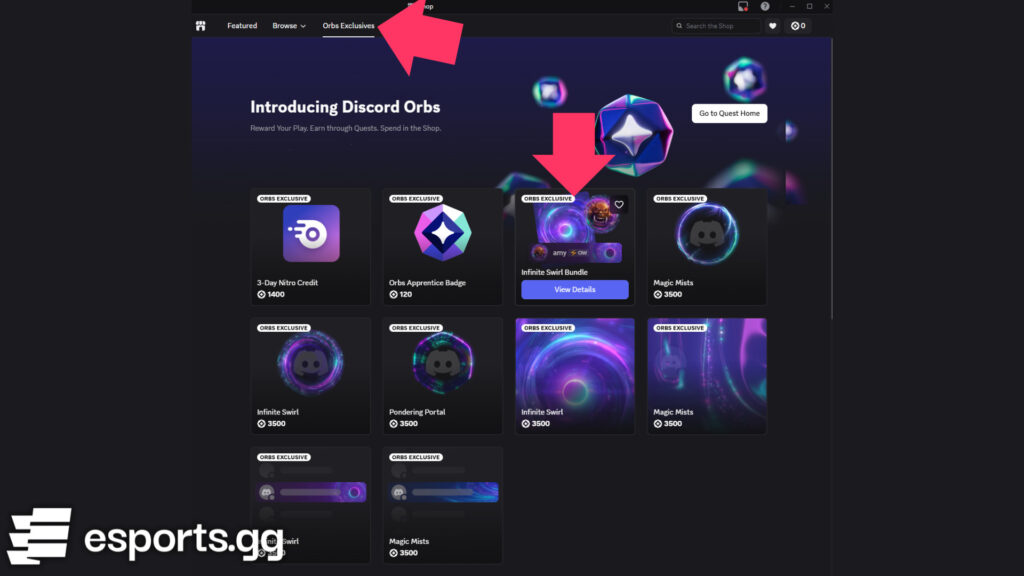
The stakes surrounding these technical issues are higher than usual because of the purchasing power Orbs represent. Analysis from Beebom and games.gg highlights that Discord Orbs function as an alternative in-game economy. By accumulating these tokens through community events, players can acquire premium cosmetics without spending raw fiat currency.
Following updates like the August patches that introduced Krakoan Reels Vol. 2 and seasonal summer items, the Marvel Rivals skin store expanded its rotation to feature Discord-exclusive variant bundles. When players miss quest windows due to faulty software handshakes, they risk losing access to time-limited cosmetic rotations. The resulting frustration explains why community channels have pushed so aggressively for clear answers from publishers.
Official Responses from NetEase and Discord Support
Both development camps have acknowledged the service degradation. NetEase’s community liaison teams verified that player support tickets regarding missing items reached an all-time peak during the opening week of the campaign. The engineering staff confirmed that unexpected traffic surges caused temporary rate-limiting across their voucher distribution servers.
Discord's developer portal updated its status advisory to address third-party quest progression anomalies. Their client engineering squad pushed an intermediate update to the canary and public desktop builds to refine how the software hooks into Unreal Engine 5 binaries. Players encountering missing balances are advised not to submit duplicate redemption tickets, as server syncs are scheduled to reconcile missing vouchers retroactively once backend maintenance cycles complete.
Frequently Asked Questions (FAQ)
Q1: Why is my Marvel Rivals stream timer stuck at zero minutes in Discord?
A1: Your broadcast is likely streaming your raw desktop display rather than the hooked game client window. Switch your game to Borderless Windowed mode, run Discord as administrator, and select the specific game process when starting your screen share.
Q2: Can I redeem the promotional reward code on consoles like PlayStation 5 or Xbox?
A2: Yes. Once you generate the voucher code via Discord’s Gift Inventory tab, log into your platform of choice, open the in-game settings menu, navigate to the Redemption Code tab, and submit your string directly.
Q3: Will NetEase extend the Season 6 Discord Quest deadline due to tracking bugs?
A3: Community managers have indicated that promotional windows will be extended if widespread server outages prevent normal completion, though official extensions are published through the official Discord server announcements channel.
What Players Should Expect From Upcoming Patch Cycles
Promotional quests that bridge chat platforms with live-service games are notoriously complex behind the scenes. They rely on real-time API verification between completely separate corporate networks. When millions of players jump into a newly launched competitive shooter simultaneously, edge cases multiply into systemic failures.
Discord continues to push silent client-side updates to resolve process-hooking conflicts, while NetEase's server engineers expand their token-generation capacity. For active players looking to grab these limited cosmetics, running Discord with administrator privileges and broadcasting via Borderless Windowed mode remains the most reliable path to securing your rewards before the promotional window closes.
