The Evolution of Boox Color Tablets: From Nova Air to Go Color 7 and Beyond
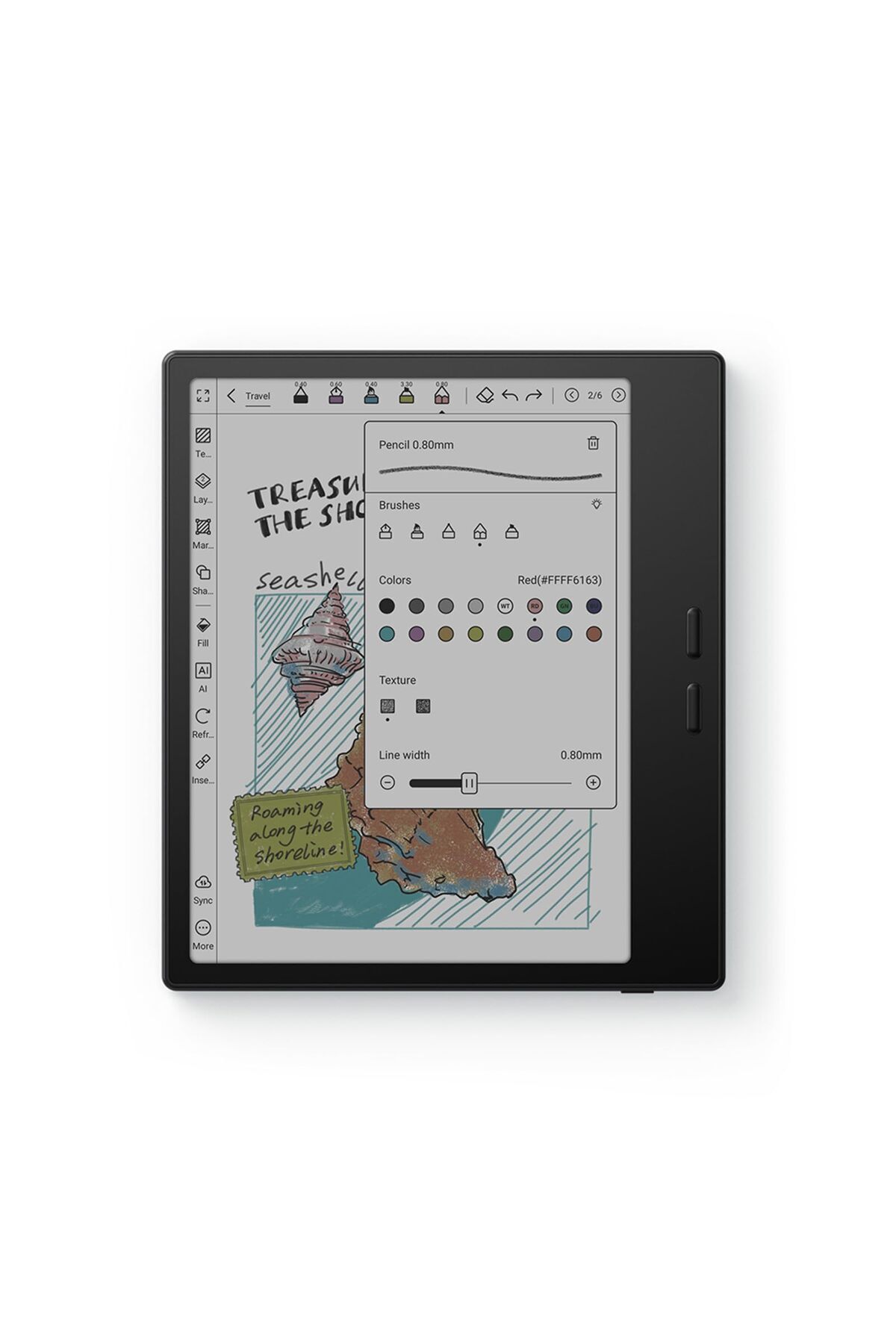
When Amazon released the Kindle Colorsoft in late 2024, mainstream consumers finally realized what dedicated digital reading enthusiasts had tracked for years: color e-paper had crossed the threshold from experimental prototype to commercial staple. Yet long before Seattle entered the arena, Onyx Boox quietly engineered the modern landscape of full-function Android e-readers, pushing screen tech through iterations of E Ink Kaleido while outfitting devices with open app ecosystems. As detailed in a recent Good e-Reader Report, hardware manufacturers are now preparing a wave of late-2026 releases that fundamentally recalibrate user expectations around speed, optical clarity, and color fidelity.
The conversation centers on the Onyx Boox Go Color 7 Gen II. Arriving on the heels of the original Go Color 7, this updated pocketable reader faces unprecedented scrutiny from digital comic readers, academic annotators, and casual bookworms alike. While early reviews praised the ergonomic form factor and physical buttons, critical assessments, including sharp critiques from outlets like TechRadar, revealed that mastering color e-paper requires far more than dropping a color filter array over a monochrome panel.
📌 Key Takeaways:
- The Core Shift: Onyx Boox transitioned from niche monochrome e-notes to mainstream, pocket-sized color tablets, positioning the Go Color series directly against walled-garden alternatives.
- The Hardware Compromise: Integrating color filter arrays lowers baseline monochrome reflectivity, making aggressive frontlight tuning and refresh software necessary components of daily usability.
- The 2026 Trajectory: As the Go Color 7 Gen II settles into the market, software-level refresh algorithms and Android open-access ecosystems remain the decisive factors separating open e-readers from closed platforms.
The Hardware Trajectory: From Nova Air C to the Go Series
The journey toward a refined 7-inch color reader started with bulkier, experimental chassis. In early 2022, the Nova Air C showcased what was possible with E Ink Kaleido Plus. That 7.8-inch machine gave readers a glimpse of digital watercolor illustrations, yet it struggled with low contrast, washed-out tones, and significant ghosting artifacts during rapid page turns. Users had to tolerate a noticeably dark background layer, which demanded heavy reliance on internal frontlights even under modest indoor ambient lighting.
The arrival of E Ink Kaleido 3 shifted engineering parameters across the industry. By moving the color filter layer closer to the microcapsule ink layer, Kaleido 3 bumped color resolution from 100 PPI up to 150 PPI, while preserving crisp 300 PPI monochrome text. Onyx quickly integrated this panel into larger digital notebooks like the Tab Mini C and Tab Ultra C. However, those devices carried hefty price tags and tablet-grade internal components that inflated weight and drained batteries quickly.
The Onyx Boox Go series emerged out of an explicit mandate: trim the fat. Readers did not always want heavy digital sketchpads with active styluses; they wanted a lightweight, tactile reading tool capable of rendering book covers, graphic novels, manga, and highlighted PDFs. The original Go Color 7 delivered on those physical specs, integrating asymmetric bezels, physical page turn buttons, and open Android capabilities into a pocketable footprint. The Go Color 7 Gen II represents the refinement of that vision, responding directly to field reports about chassis flex, button tactile feedback, and display tuning.
| Device Generation | Display Layer & Resolution | Refresh Architecture | Primary Trade-off |
|---|---|---|---|
| Nova Air C (2022) | Kaleido Plus (300 PPI B&W / 100 PPI Color) | Standard A2 / Regal Engine | Coarse color rendering; sluggish page updates |
| Tab Mini C (2023) | Kaleido 3 (300 PPI B&W / 150 PPI Color) | Dedicated BSR GPU Chip | Heavy 264g chassis; fast battery consumption |
| Go Color 7 (2024) | Kaleido 3 (300 PPI B&W / 150 PPI Color) | Lightweight Software Refresh | Visible ghosting without full-screen refreshes |
| Go Color 7 Gen II (2025, 2026) | Kaleido 3 with Anti-Glare Etch | Hybrid Low-Power Refresh Logic | Lower raw contrast than monochrome Carta 1300 |
Optical Realities: Frontlights, Contrast, and the Dark Screen Dilemma
Every color E Ink tablet on the commercial market faces a basic law of optics: stacked physical screens cut down ambient light. Beneath the protective glass lies an RGB color filter array situated right above the standard microencapsulated black-and-white ink layer. That color array acts essentially like a permanent set of miniature sunglasses sitting over the page. Ambient photons must travel down through the filters, strike the black or white titanium dioxide particles, bounce off, and travel back up through the filters to meet human eyes.
Because half the ambient light is lost during that two-way journey, an unlit Kaleido 3 screen looks darker and grayer than a pure monochrome display like the Carta 1200 or Carta 1300 found on the standard Boox Go 6 or Kindle Paperwhite. In dim living rooms, readers must turn on the frontlight system. The Boox Go Color 7 Gen II counters this physical hurdle with dual-tone frontlights, allowing readers to mix cool white and warm amber LEDs across 32 individual brightness levels.
Software settings matter just as much as LED counts. Onyx builds manual calibration sliders into its reading software for vividness, color brightness, and edge detail sharpening. Pushing saturation sliders upward enriches magazine spreads and graphic art, but it can crush subtle shadow gradients into solid dark patches. Leaving saturation flat creates muddy, faded visuals reminiscent of aged newspaper prints. Finding an acceptable balance requires hands-on calibration that closed readers hide behind automatic software profiles.
Software Architecture: BSR Refresh Modes Versus Battery Endurance
Onyx built its modern reputation around Boox Super Refresh (BSR), a proprietary software-and-hardware acceleration stack that smooths out screen updates through adaptive caching and predictive particle alignment. When running BSR, panning across web pages in Google Chrome looks surprisingly fluid, showing framerates unheard of on standard e-readers. Yet high framerates impose direct hardware penalties.
BSR demands real computing power. On heavier devices like the Note Air3 C, running BSR at high performance cuts usable battery life from weeks down to single days. For the Go Color 7 line, Onyx opted for a streamlined refresh architecture to preserve its modest 2,300 mAh battery cell. The software provides four selectable refresh profiles:
HD Mode: Built exclusively for text-heavy literature. The display applies full screen clearing routines on page turns to stop ghosting traces, maintaining maximum edge clarity at the cost of slight screen flashing.
Balanced Mode: Tailored for illustrated books, documents, and light browsing. It balances particle positioning speed against remnant ghosting, producing legible transitions with minor trace artifacts visible across white backgrounds.
Fast Mode: Prioritizes rapid page delivery for scrolling feeds and image-heavy digital comics. Color accuracy degrades slightly, and text edges lose sharp clarity, but pages turn without mechanical pauses.
Ultrafast Mode: Strips image fidelity down to its basic components to permit video playback or dynamic touch interactions. Ghosting accumulates instantly across dark backgrounds, requiring manual clearing toggles mapped to the physical page turn buttons.
Reviewers point to this split as a recurring hurdle. TechRadar observed that navigating these refresh modes creates user friction: pick wrong setting, and third-party comic apps drop frames or fill white margins with dark artifacting. Pick the correct profile, however, and the device handles dynamic feeds that lock up traditional e-readers.
Android Independence: Google Play Store Support Versus Closed Ecosystems
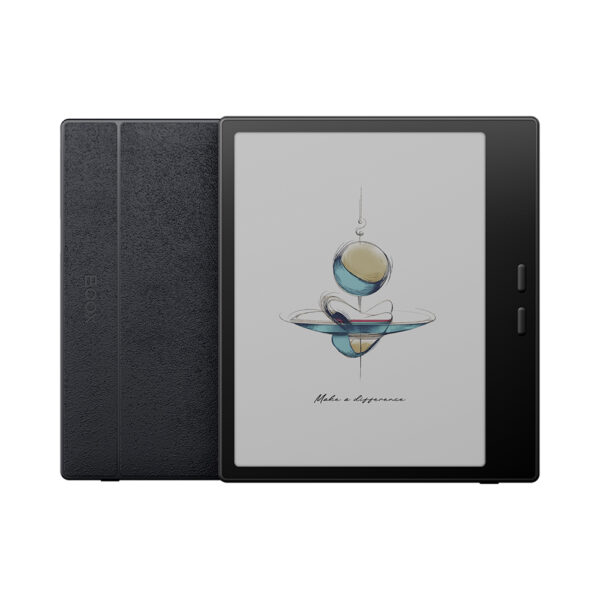
The primary advantage of the Boox platform remains its operating software. Running an open installation of Android 12 with full Google Play Store support, the Go Color 7 Gen II refuses to tie users to a single storefront. Owners install Kindle, Kobo, Libby, Shonen Jump, Marvel Unlimited, and Tachiyomi side by side on one lightweight machine.
This open approach breaks the platform lock-in enforced by hardware like the Kindle Colorsoft. Amazon designs its color devices to pull purchases into proprietary formats, locking library borrowing behind system-level software hurdles. On a Boox device, public library cards connect directly through Libby, and academic research papers open cleanly via cloud services like Dropbox or Google Drive. Physical side buttons map dynamically across apps, functioning as volume controls inside audio players and page flickers inside comic applications.
Freedom brings technical upkeep. Open Android operating systems require careful app battery optimization to stop background sync loops from draining standby charge. Users must tweak application dpi scalings, disable aggressive notification systems, and adjust per-app display contrast configurations. For tinkerers, this depth offers the most adaptable reading setup in tech. For consumers expecting an appliance that runs without setup straight from the box, that initial configuration process can feel daunting.
Who Should Buy the Go Color 7 Gen II (And Who Should Skip It)
Choosing an e-paper device in 2026 requires looking past surface marketing. Color E Ink panels are specialized tools designed around physical engineering limits, not direct replacements for high-refresh OLED iPad displays. Buyers must match personal reading habits against the hardware's strengths.
Ideal Profiles:
Readers whose media diets consist largely of graphic novels, manga, indie comics, and illustrated non-fiction will appreciate the compact chassis. Having 150 PPI color backed by physical click buttons makes one-handed public transit reading easy. Users with sprawling eBook libraries split between Amazon, Kobo, and local sideloaded EPUB collections will value running multiple reader apps on one unified display. The 32GB baseline storage, expandable via a built-in microSD tray, easily holds massive comic runs without cloud tethering.
Risk Flags (Who Should Look Elsewhere):
Purists who consume black-and-white prose novels almost exclusively should pass on this color tablet. A pure monochrome reader using the latest Carta 1300 panel delivers starker black text, noticeably brighter background paper tones, and significantly longer battery runtimes without relying on frontlights. Additionally, anyone seeking an instant tablet for YouTube streaming, dynamic web browsing, or swift gaming will find the e-paper refresh rates and persistent color ghosting frustrating. Those users are far better served by a standard budget LCD or OLED tablet.
Frequently Asked Questions (FAQ)
Q1: Does the Go Color 7 Gen II screen look dimmer than a Kindle Paperwhite?
Yes. Because the Kaleido 3 panel stacks an RGB color filter layer on top of the black-and-white ink layer, ambient light reflection drops. To match the bright paper-white appearance of a standard monochrome reader indoors, you must run the integrated frontlight at around 20% to 35% brightness.
Q2: Can I download apps directly from the Google Play Store on this device?
Yes. Unlike competitors running stripped-down Linux operating systems, Onyx Boox hardware features certified Google Play Store integration out of the box. You log into your Google account and download reading apps, cloud drives, and web browsers directly.
Q3: How long does the battery last under everyday reading conditions?
Battery longevity varies based on your chosen refresh settings and wireless connections. With Wi-Fi turned off, frontlights kept at moderate levels, and reading restricted to 45 minutes a day inside standard reader apps, the 2,300 mAh battery lasts between 10 to 14 days. Continuous web browsing or streaming audio over Bluetooth drains the cell in approximately 8 to 12 hours.
Q4: Why do some images show faint shadows from previous pages?
This phenomenon is ghosting, an inherent trait of electrophoretic ink displays pushed to rapid refresh cycles. Fast page turns sometimes leave physical pigment microcapsules partially stuck in their prior alignments. Clicking the customizable physical page button to trigger a full-screen refresh instantly sweeps away these lingering image artifacts.
What Lies Ahead for Boox and Color E-Paper
The transition toward color e-paper represents one of the most substantial shifts in personal reading technology since the first commercial displays emerged two decades ago. Devices like the Go Color 7 Gen II demonstrate that portable form factors can bridge the gap between static text and color-dependent media, even as physical display traits require deliberate trade-offs in contrast and illumination.
As manufacturers head toward late-2026 hardware cycles, the competitive pressure from mainstream consumer tech brands will force rapid software refinements. Success in this category no longer depends on merely securing the latest panel allocation from E Ink Holdings. Instead, the market belongs to the engineering teams that balance software refresh controls, frontlight balance, and open app usability, giving readers a tool that handles diverse media without locking them inside a corporate garden.
